Important
This must be completed before you close your breakout.
A quick walkthrough for checking in everyone in your breakout. Keep this open on your phone during the session.
-
Open your location's attendance form
Tap your campus to open the right form:
-
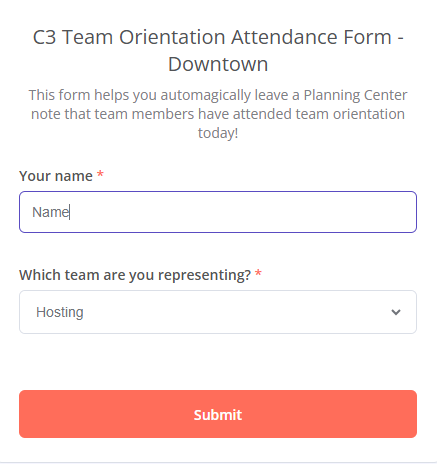
Enter your name and team, then Submit
Type your name and select the team you're representing.
What you'll see:
-
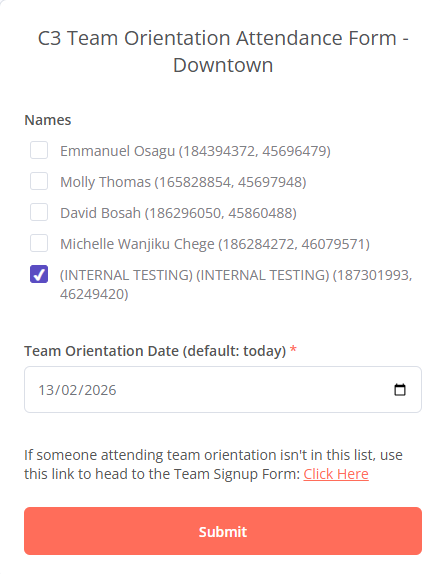
Tick everyone present, set today's date, then Submit
Check the box next to each person in your breakout and confirm the date is today.
What you'll see:
-
Someone not on the list? Get them to sign up
Ask them to register here: Team Sign-Up →
Important: they must pick the correct team — not the general sign-up page — or they won't appear on your attendance form.Pick the team, not the general page:

-
Refresh, confirm their names, and submit
Once they've signed up, refresh your attendance form, verify their names appear, then submit their attendance too.